
The iGPSPORT BSC500
A modern bike computer should now do much more than show speed and distance. Navigation, training management, sensor integration, map views and automatic uploads are almost standard equipment.
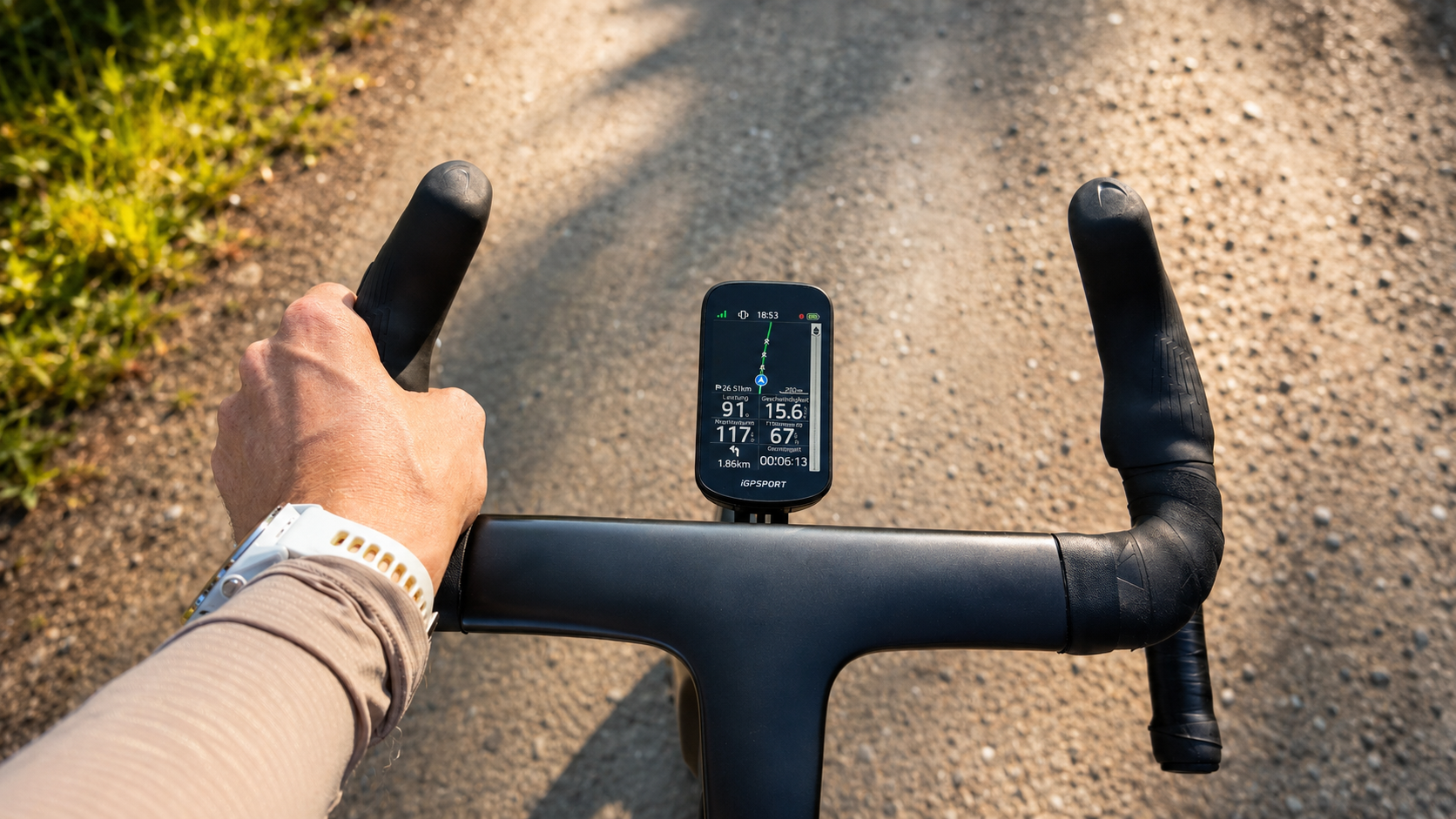
This is exactly where the iGPSPORT BSC500 comes in. It has a large colour touchscreen, physical buttons, offline maps, voice guidance, an electronic bell and automatic route recalculation. The manufacturer also advertises dual-band GNSS, iClimb 2.0 and up to 25 hours of battery life, or up to 35 hours in battery saver mode.
*
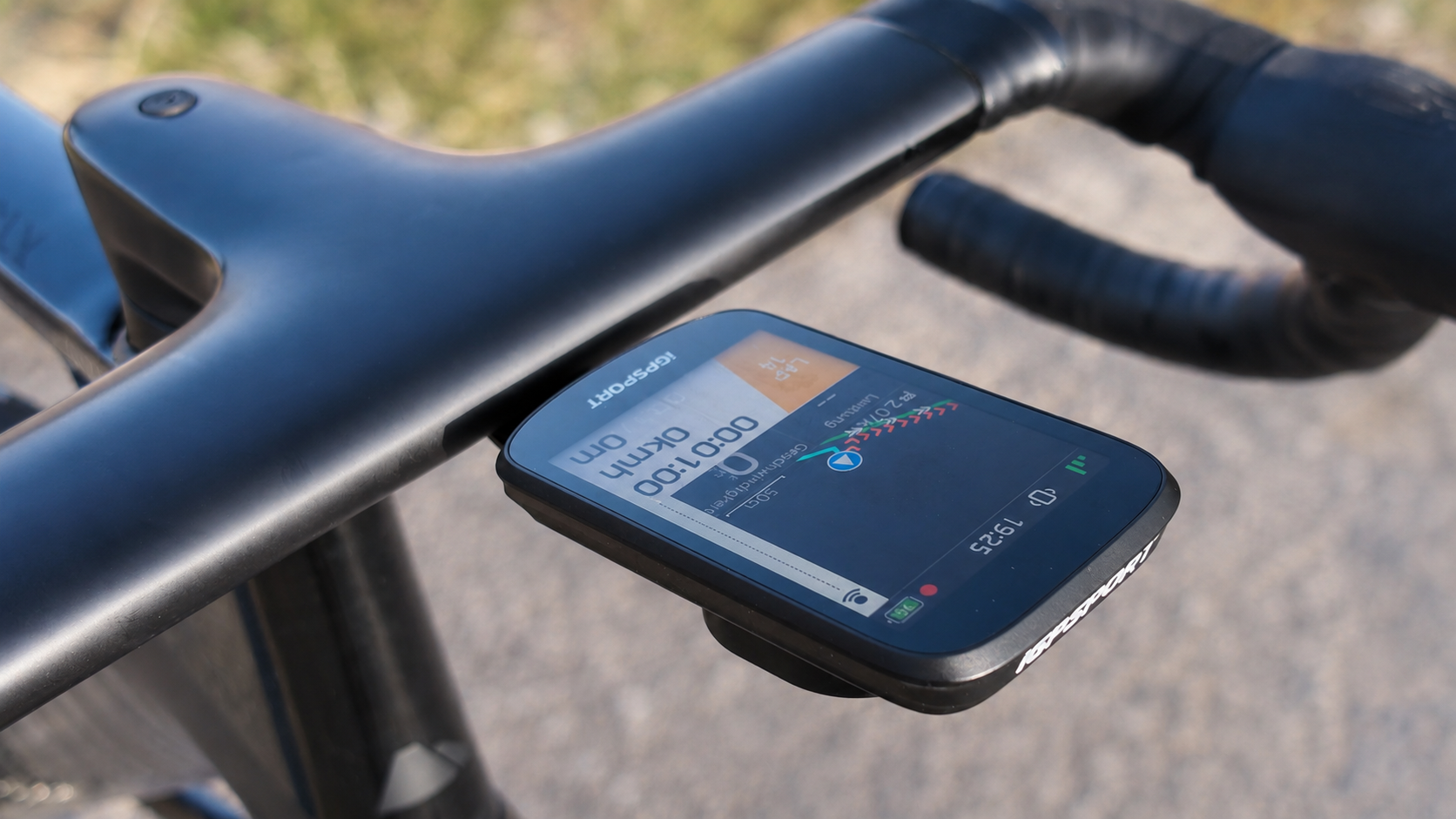
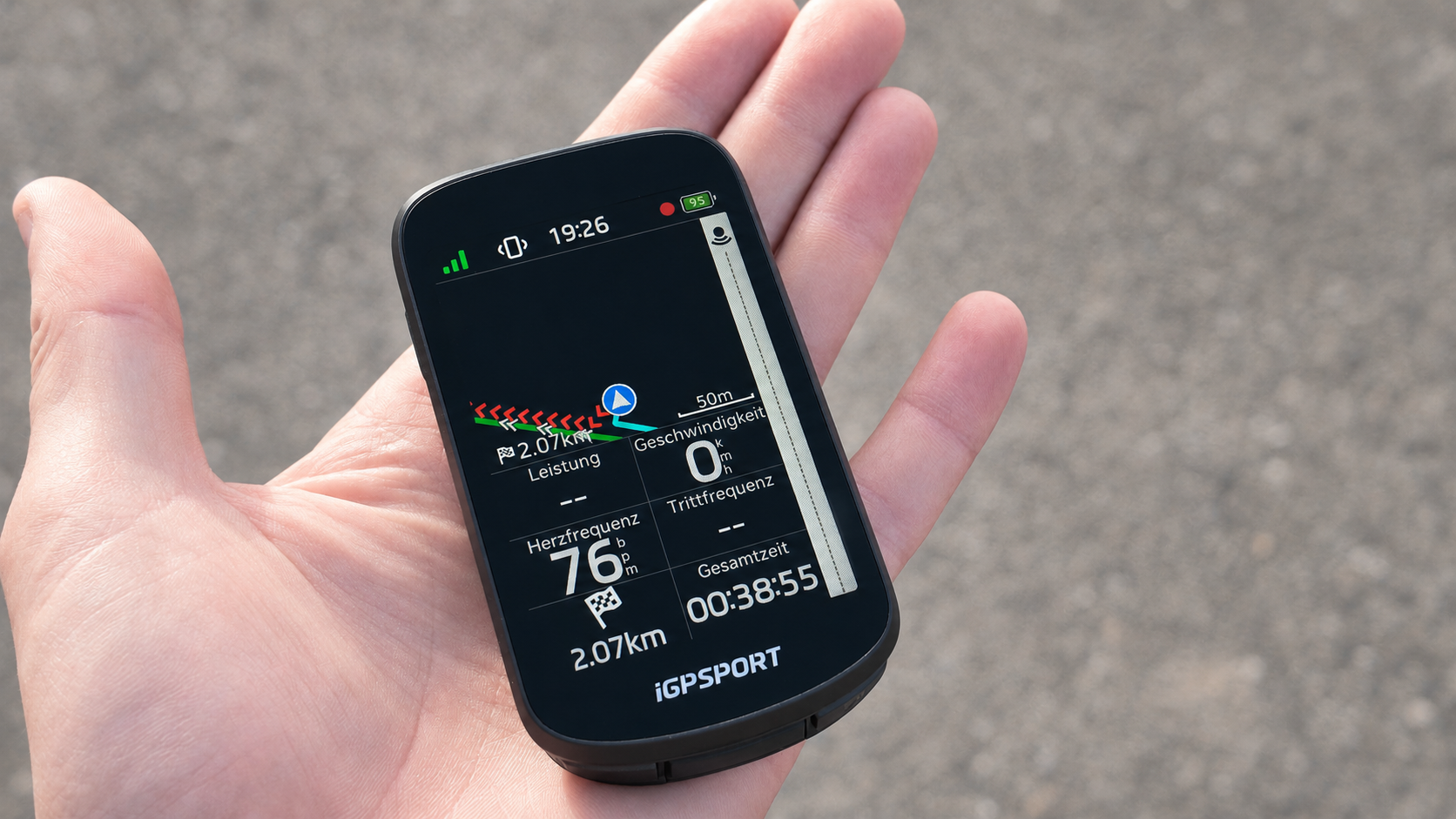
The iGPSPORT BSC500 offers a very high-contrast display, reliable GPS and extensive sensor support. Particularly at its attractive price, the overall package is strong. Deductions apply for occasionally questionable rerouting, no Strava Live Segments, weak weather data and limited radar functions.
In my iGPSPORT BSC500 test, the computer had to prove itself beyond normal everyday training. I connected a heart rate sensor, power meter, radar and Shimano Di2, tested navigation and extrapolated battery life at maximum display brightness.
The result is a bike computer with a surprisingly strong display and many well-implemented features. It nevertheless lacks details found on more expensive Garmin models.
Display: Garmin Edge 850 level for me
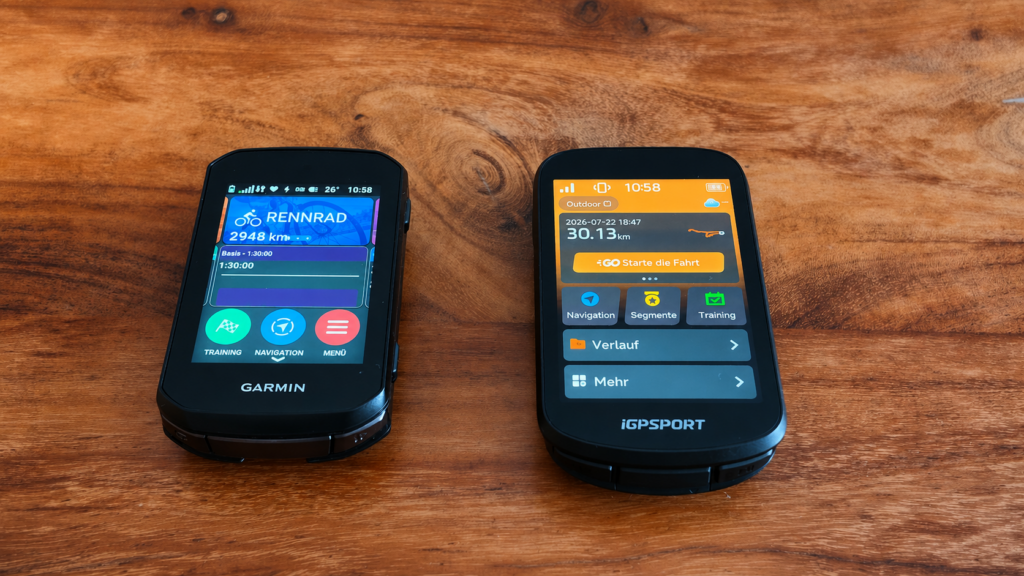
In the iGPSPORT BSC500 test, the display proved one of the computer's greatest strengths. In direct comparison with the Garmin Edge 850, I honestly noticed barely any difference in basic display quality. Read my detailed Garmin Edge 850 review to see how that model performs.
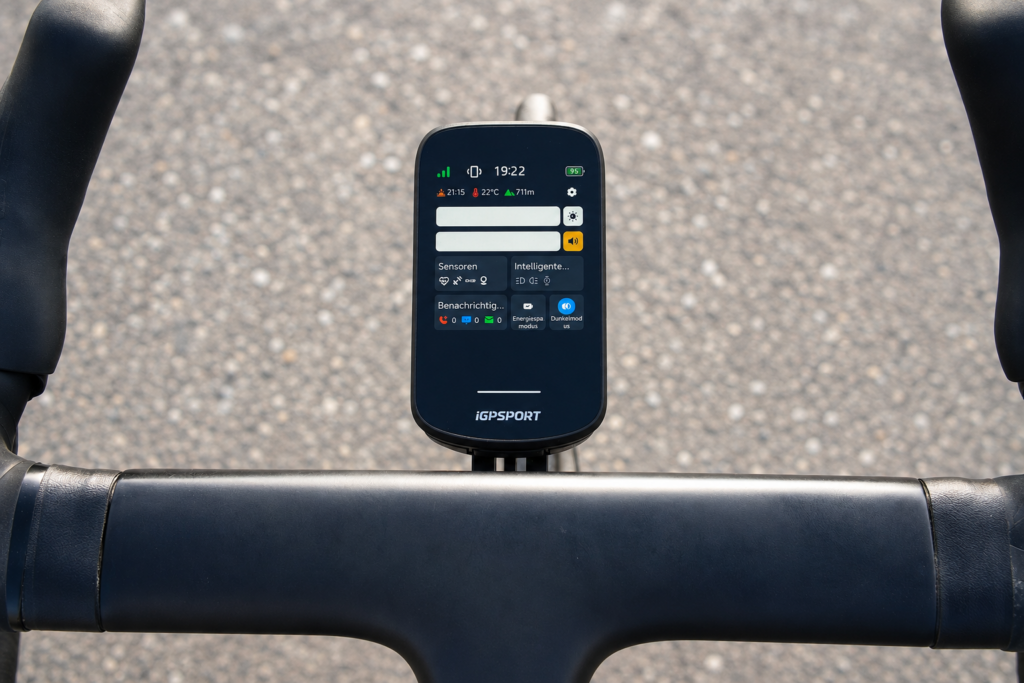
The BSC500 sometimes even looks slightly higher in contrast. Data fields, maps and colour highlights are very easy to see. This matters particularly while riding: a bike computer must be readable quickly in changing light, not merely look good on a desk.
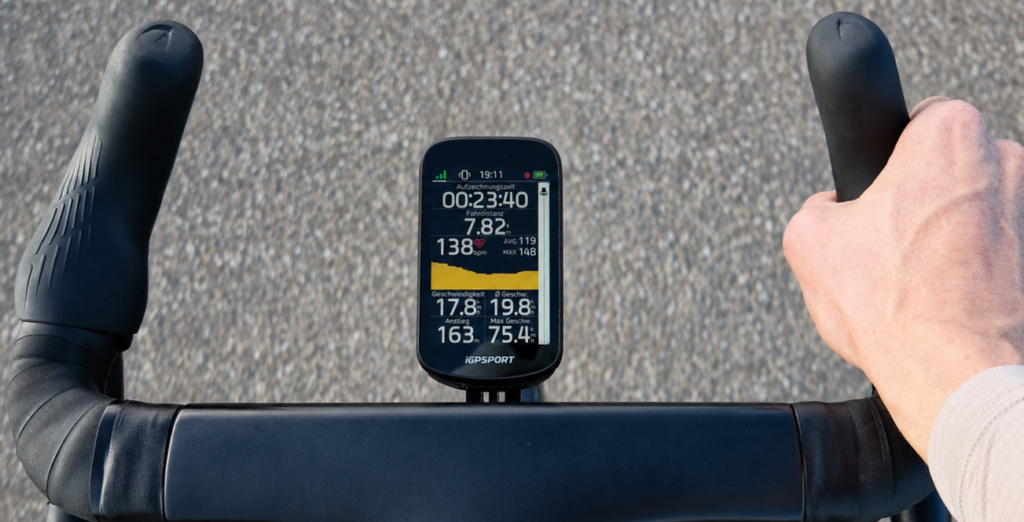
According to the manufacturer, the screen measures 3.3 inches and combines touch controls with physical buttons.
I also like that the navigation page can show up to six data fields alongside the map. The Garmin Edge 850 permits only two extra data fields with the map. Riders wanting power, heart rate, speed and other metrics during navigation therefore get more information on one page with the BSC500.
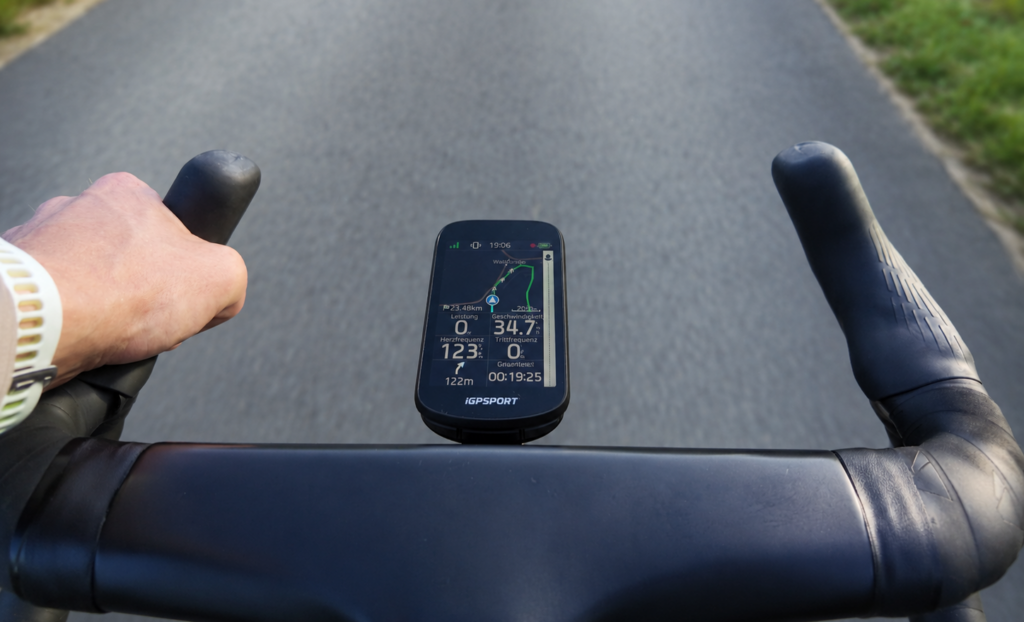
The appearance also recalls the Garmin Edge 850. Its shape looks modern, premium and much less like a cheap entry-level computer than the price suggests.
Touchscreen and controls
The touchscreen responded well in my test and registered input reliably. The BSC500 also worked surprisingly well with gloves.
Rain reveals the typical touchscreen drawbacks, however. Droplets can hinder input or trigger unintended responses. This is not specific to the BSC500 and affects many other touchscreen bike computers too.
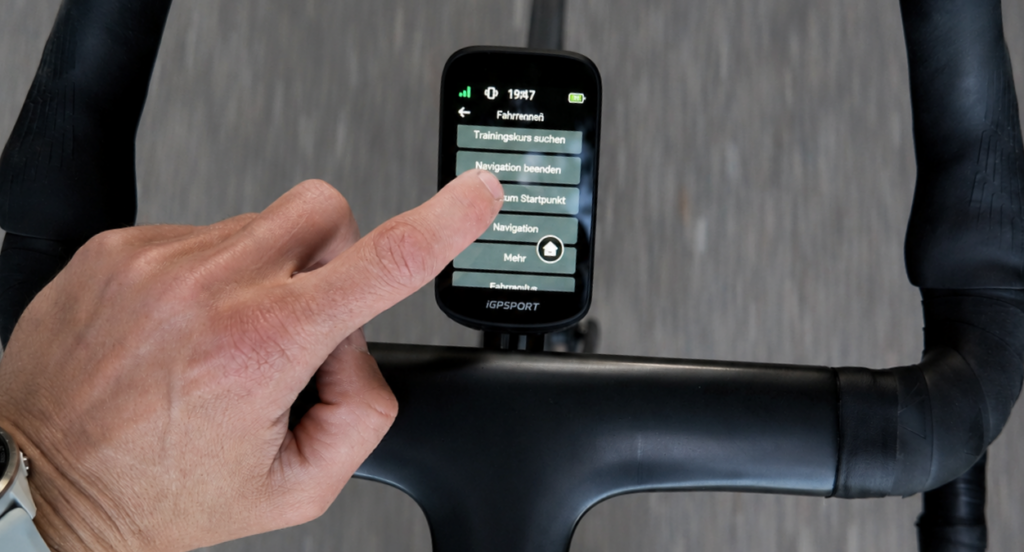
The physical buttons offer only limited help. In my test, I could pause recording but could not navigate all menus with them. I could change data pages using connected Di2 buttons. If heavy rain effectively prevents touch operation, access to the computer's settings and menus therefore remains limited.
The menus themselves are generally clear and understandable. I particularly like the presentation during structured workouts. A bar clearly shows whether you are within the specified power range, making it immediately obvious whether current power is too low, appropriate or too high.
I had no GPS reception problems in the test. The signal was reliably present and remained stable in wooded areas.
This broadly matches the BSC500's technical concept: the manufacturer specifies dual-band GNSS and offline maps with turn instructions, return-to-start and automatic route recalculation.
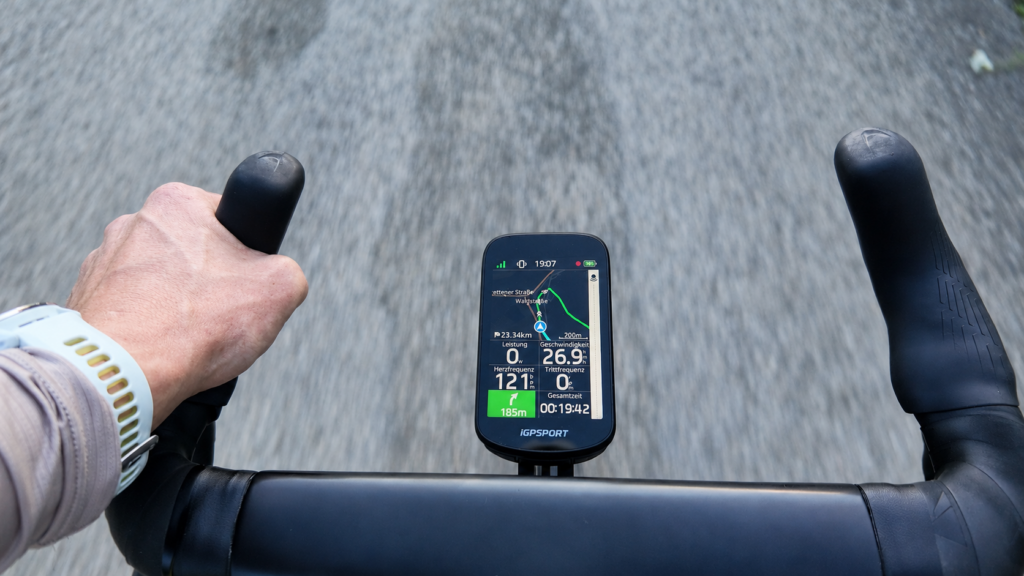
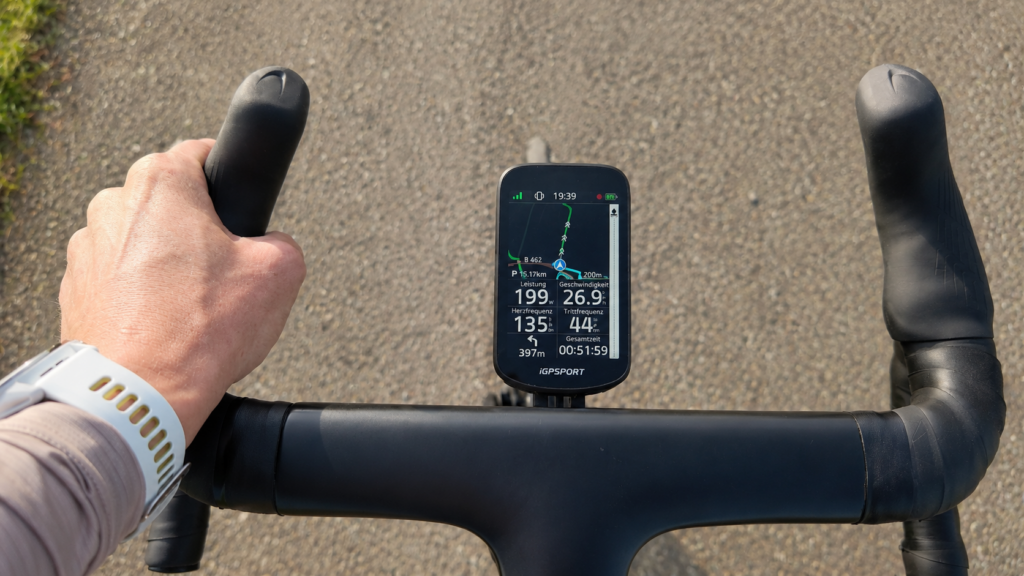
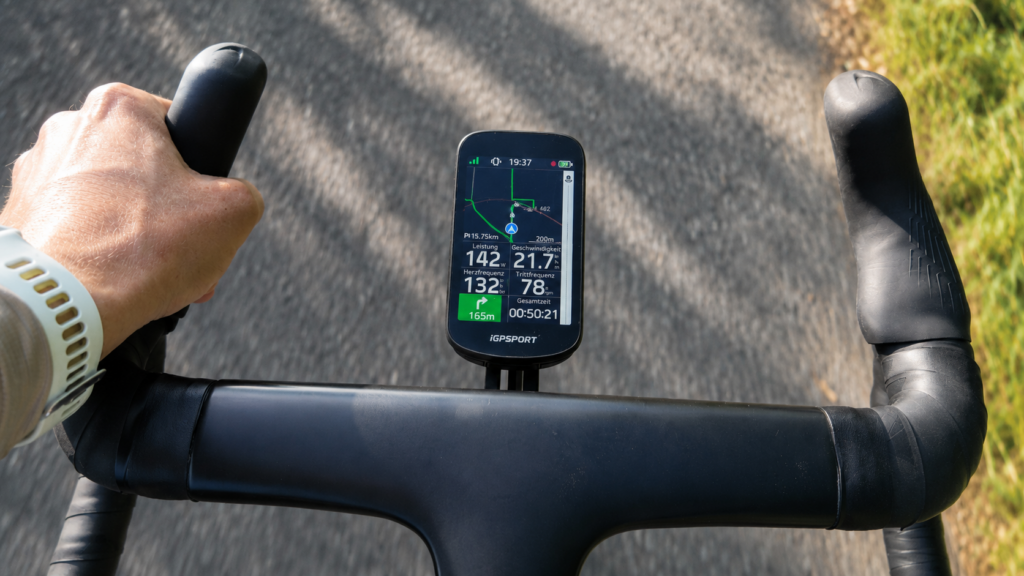
The BSC500 also recognised deviations from a planned route relatively quickly. Recalculation started promptly, avoiding a long period riding without guidance.
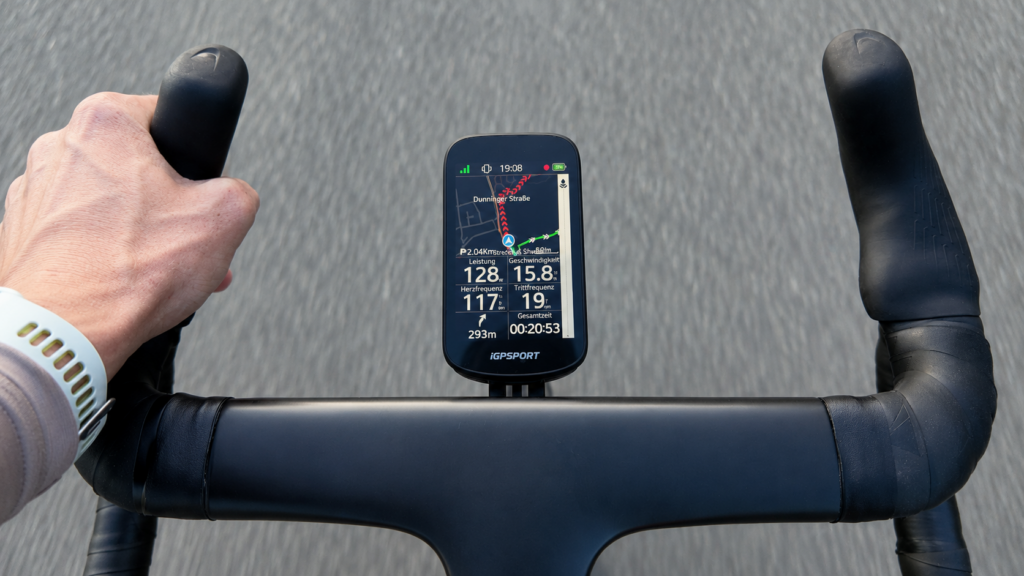
Rerouting quality was not always convincing, however. The computer repeatedly suggested enormous detours that seemed neither sensible nor well thought through to me. Quick recalculation is therefore positive, but the resulting route suggestion is not automatically the best solution. Particularly in unfamiliar regions, I would briefly check whether it makes sense on the map rather than following it blindly.
Climbs
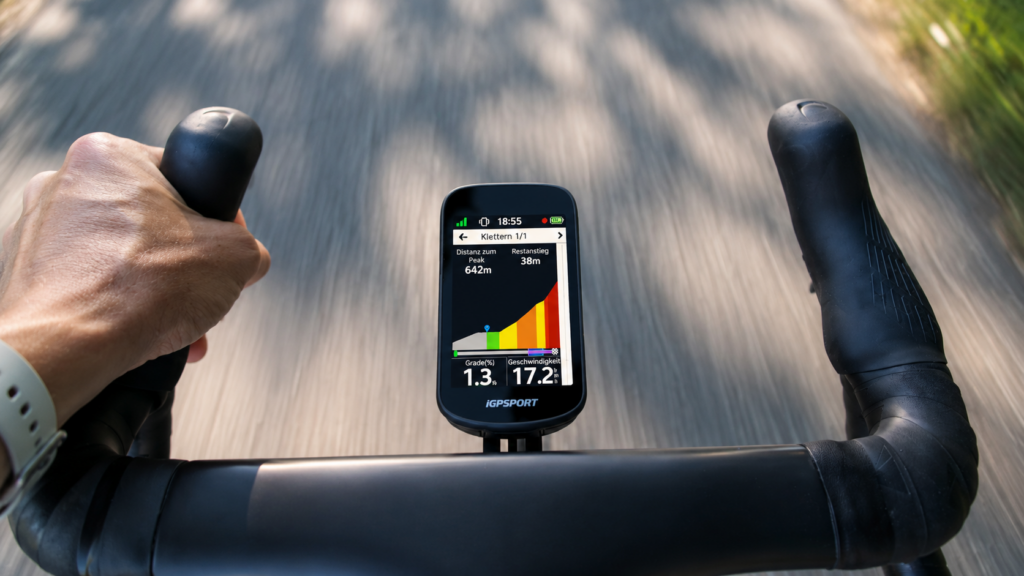
In the iGPSPORT BSC500 test, I particularly liked the colour presentation of upcoming climbs. The elevation profile looks attractive and remains clear despite the extensive information. Colours quickly reveal sections of different steepness. The BSC500 also shows distance to the summit, remaining elevation gain, current gradient and speed, helping me pace effort on longer or unfamiliar climbs.
Route planning only through the app
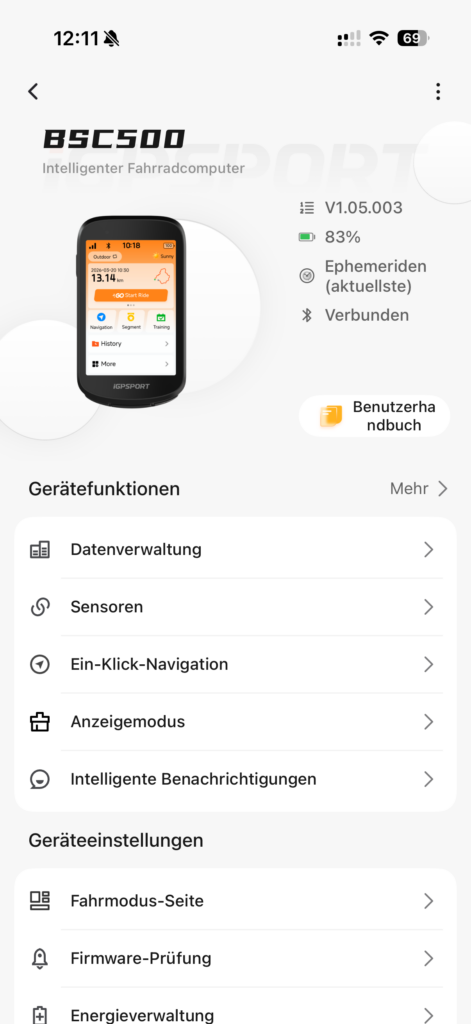
A clear criticism is limited route planning directly on the device. New routes must be prepared or transferred through the iGPSPORT app.
Free route planning directly on the bike computer is unavailable. Anyone wanting to enter a spontaneous destination while riding or create a more extensive route on the computer therefore encounters limitations.
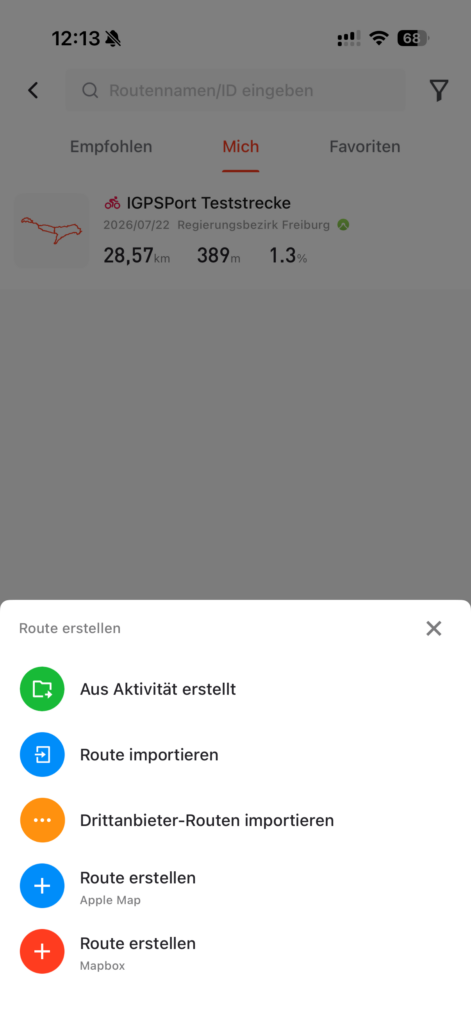
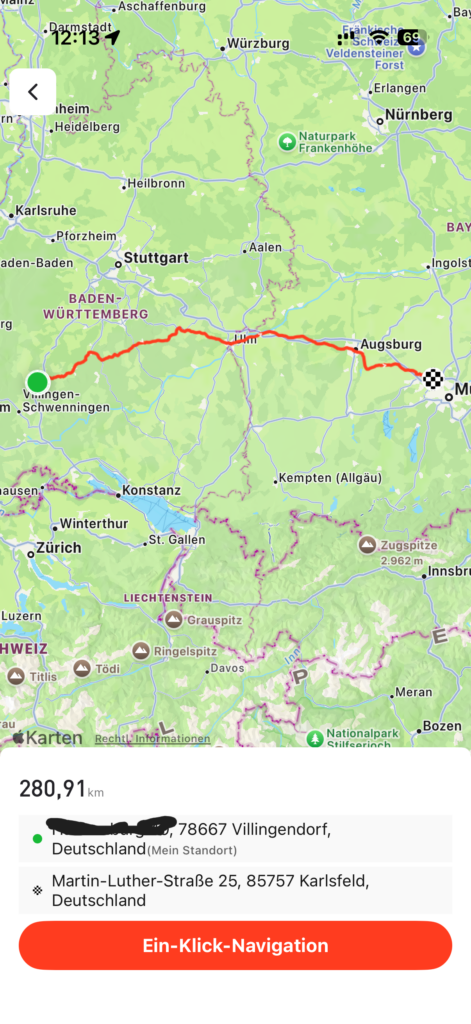
This is less problematic for riders who plan routes in an app or another platform before every ride anyway. Those wanting navigation as independent of a smartphone as possible sometimes get more options from higher-priced devices.
The iGPSPORT app itself serves its purpose, offering data page and workout customisation alongside route transfer.
Voice guidance and electronic bell
Voice guidance worked reliably throughout my iGPSport BSC500 test. Navigation instructions were understandable and helped me keep my eyes on the road more often.
This is pleasant particularly in confusing areas. Rather than constantly watching the screen before every junction, you also receive audible guidance about the next turn. Voice-guided navigation and the electronic bell are officially advertised BSC500 features.
The integrated electronic bell is more of a nice extra, however. As on many bike computers, I find it too quiet. Pedestrians and other road users often notice the sound late.
I would therefore not consider it a complete replacement for a conventional bike bell. It can help in quiet surroundings but lacks sufficient volume in wind, traffic noise or over greater distances.
Sensors: power meters, heart rate, radar and Di2
Sensor integration worked very well in the test. I connected a heart rate sensor, power meter, radar and Shimano Di2 without difficulty.
Even the Garmin RCT716 was recognised by the iGPSPORT BSC500 and worked in principle. The manufacturer lists support for different sensor types, including heart rate, power, cadence, speed, radar and smart trainers.
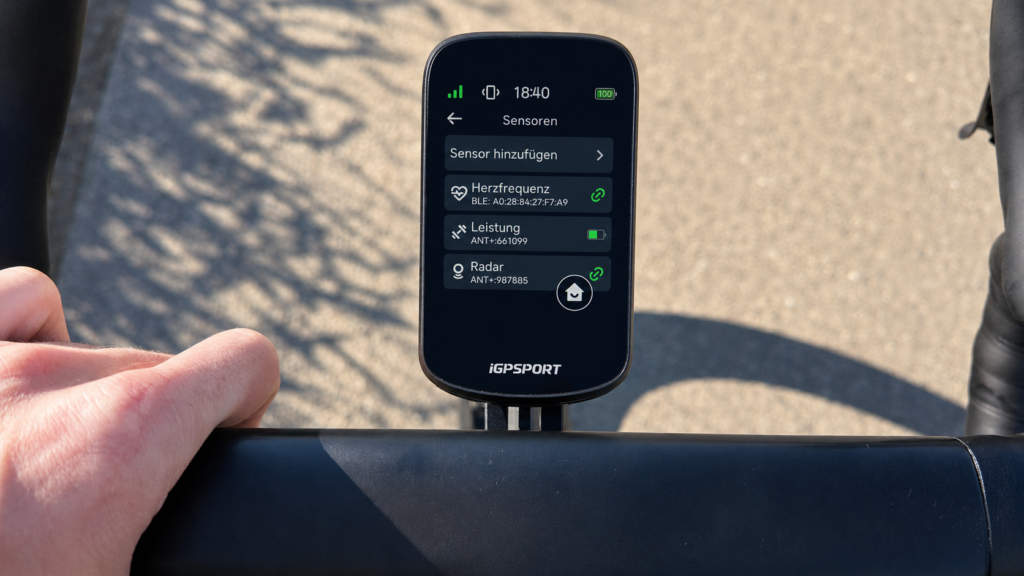
The Shimano Di2 connection was particularly positive. The drivetrain paired without difficulty, after which I could change data pages using the hood buttons without removing my hands from the handlebar.
In everyday riding, this is much more pleasant than repeatedly swiping the display. Shifter controls improve comfort particularly on fast sections or poor roads.
Radar support with limitations
Although my radar connected easily, the BSC500 lacks some advanced information.
Approaching vehicles are displayed, but the BSC500 shows neither their approximate distance nor speed. Suitable Connect IQ applications can display some such additional information on Garmin devices, which I consider a huge advantage for Garmin.
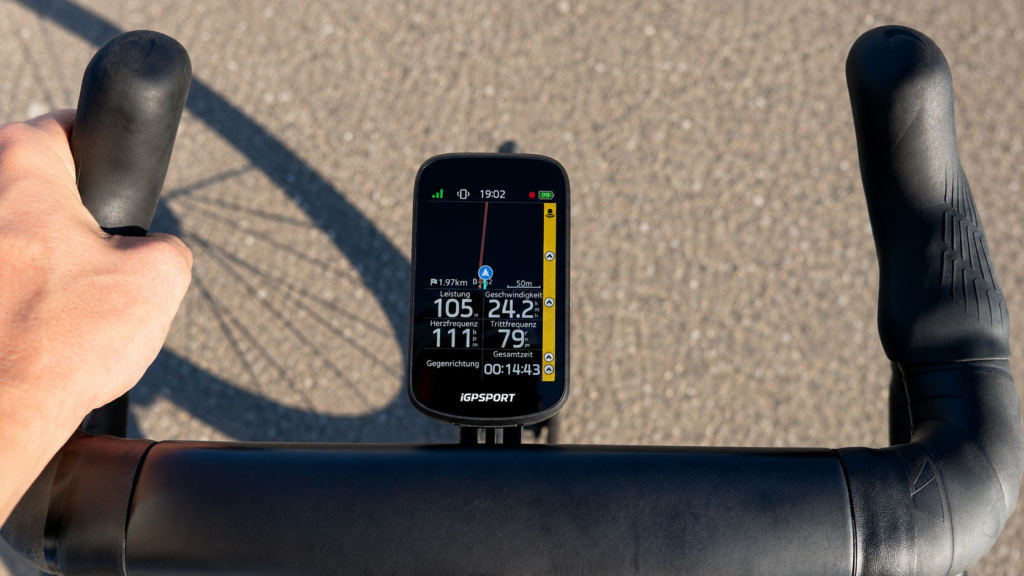
The BSC500's display is sufficient for basic warnings. You can see that a vehicle is approaching from behind and how many have been detected. Anyone wanting detailed radar metrics, however, gets a more comprehensive system with Garmin.
It remains positive that even the Garmin RCT716 could connect to iGPSPORT in principle. This is not a given with hardware from different manufacturers.
No wind display and weak weather data
One of my biggest criticisms in the iGPSPORT BSC500 test is the absence of a wind display. Wind direction and speed are particularly interesting for road cycling because they strongly affect pace, power and perceived effort. On the BSC500, I could not use any meaningful wind display. General weather data is also inadequate or barely present in my view.
Garmin has a clear advantage here through Garmin Connect and additional apps.
This probably will not be decisive for many recreational cyclists. Anyone wanting weather directly on the computer or assessing training data alongside wind conditions will miss it, however.
This point significantly affected my overall rating.
Structured workouts in the iGPSPORT app
Workouts can be created directly in the iGPSPORT app. Setup feels intuitive and understandable without a long learning process.
Individual workout sections can use duration, power or other targets. During the session, the BSC500 clearly displays the planned intensity range.
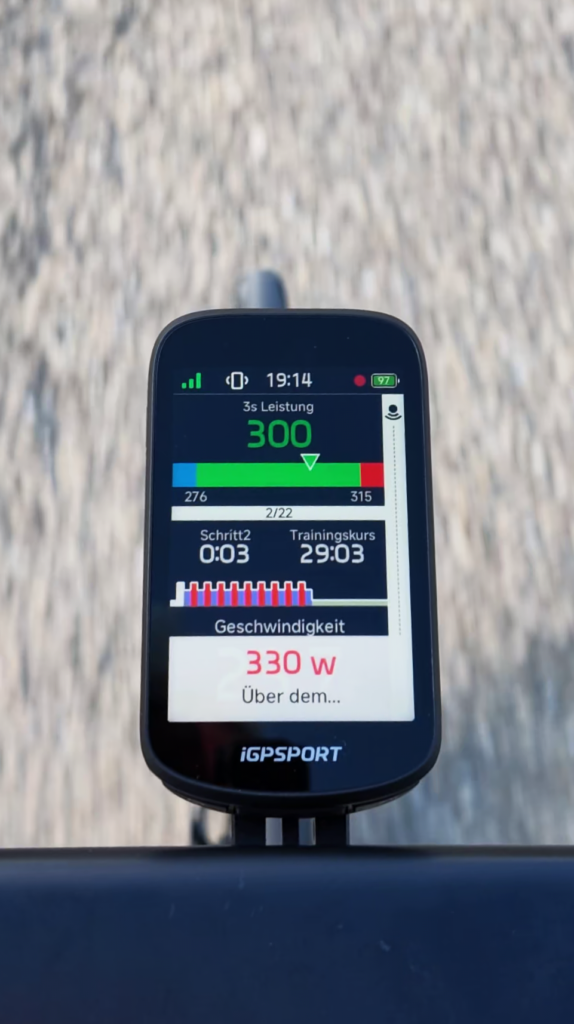
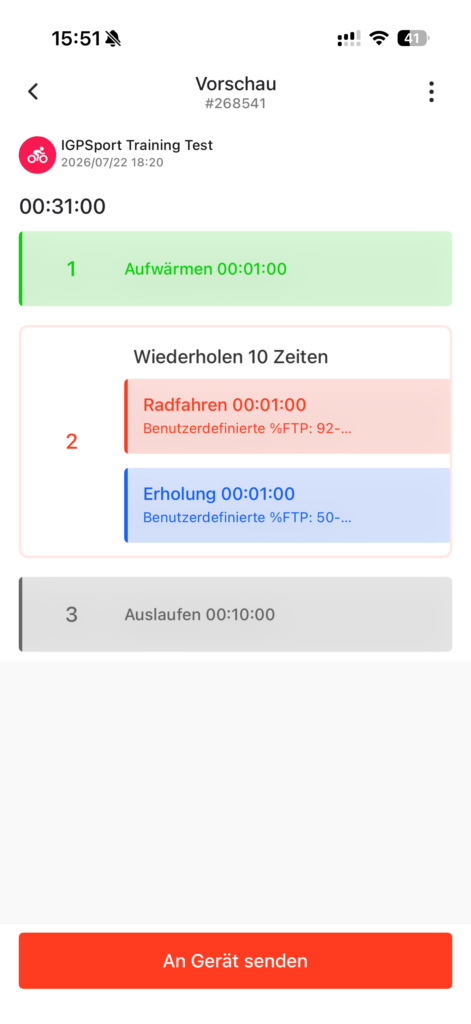
I particularly like the coloured or graphical power-range bar. You can quickly see whether you are riding in the target zone, avoiding constant comparisons of small numbers.
The BSC500 therefore suits not only navigation and normal rides but also more structured training with a power meter.
Strava upload works, but Live Segments are absent
After riding, my activities uploaded automatically to Strava without difficulty. The process was straightforward and required no additional steps after initial setup.
The activity transferred once the bike computer synced with the app. This connection therefore works well for everyday training.
Strava Live Segments are not supported, however. Anyone wanting live comparisons against personal bests or other riders on a segment must do without this feature.
This can be a significant drawback for ambitious Strava users. Those mainly using Strava for later analysis and documentation should be happy with automatic uploads instead.
Battery life in practical testing
iGPSPORT officially states up to 25 hours of battery life in normal operation and up to 35 hours in battery saver mode. Such manufacturer figures are generally measured under more favourable conditions, however.
In my test, multiple sensors were connected and display brightness was at its highest setting. Under these conditions, the extrapolated runtime was around 13 hours and 3 minutes.
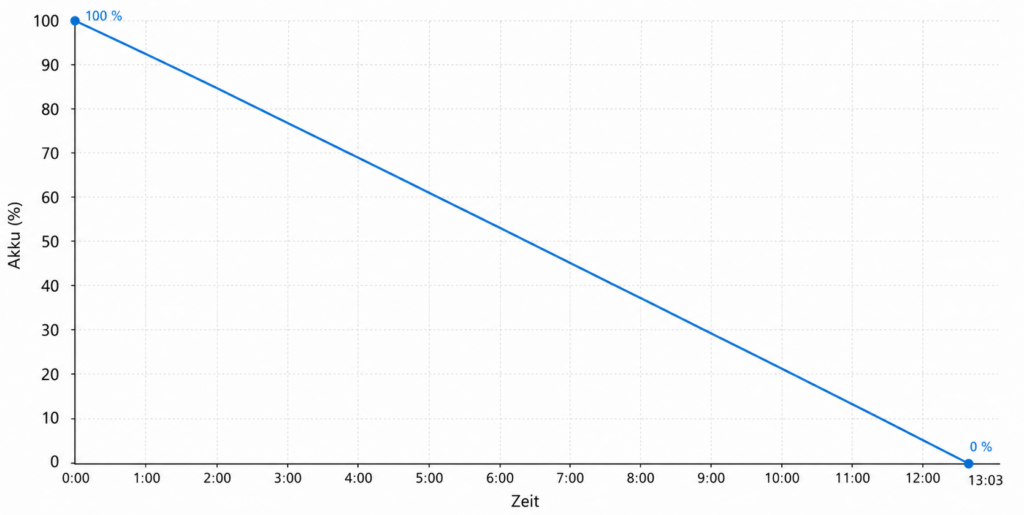
This is well below the official maximum but entirely reasonable given the high brightness and many connected sensors. Runtime is easily sufficient for normal training rides, day trips and daily use.
For longer rides, brightness can be reduced or power-saving features enabled, which should noticeably extend runtime.
I therefore see no serious battery weakness for recreational cyclists.
Weight and Garmin-compatible mounting
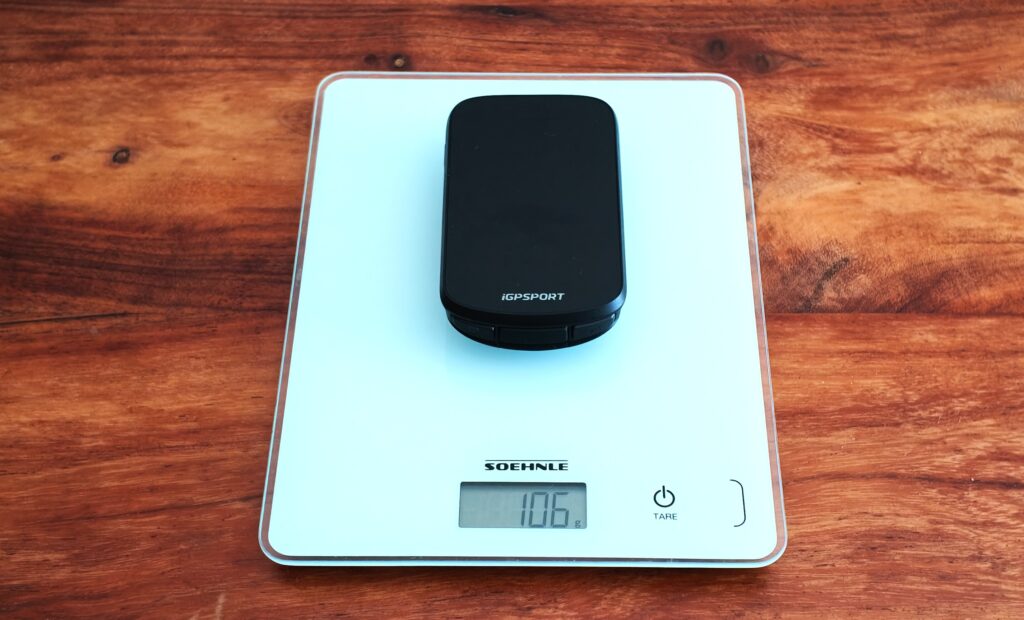
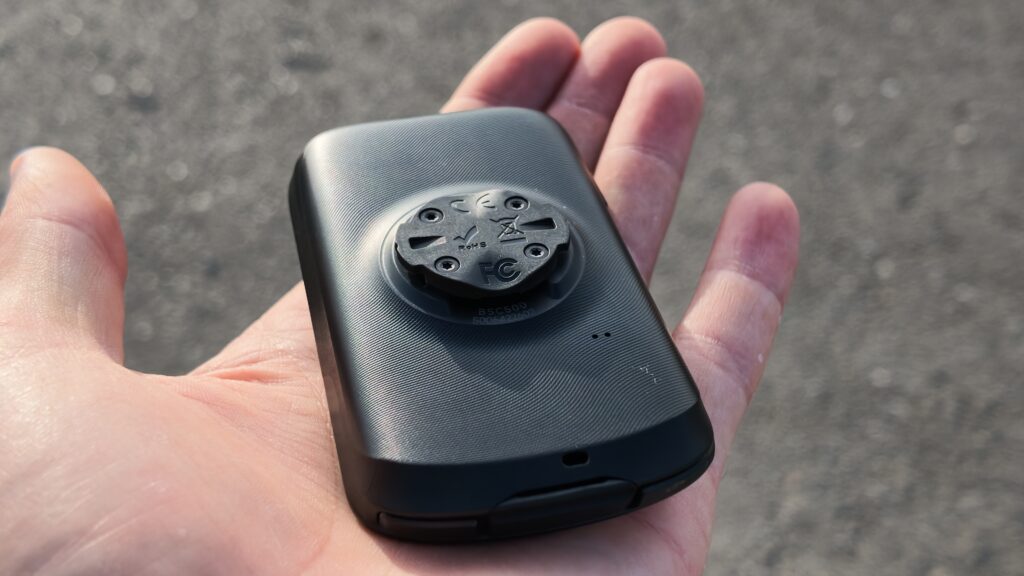
My test device weighed 106 grams. The BSC500 is therefore not an especially light mini computer but does not feel excessively heavy on the handlebar either.
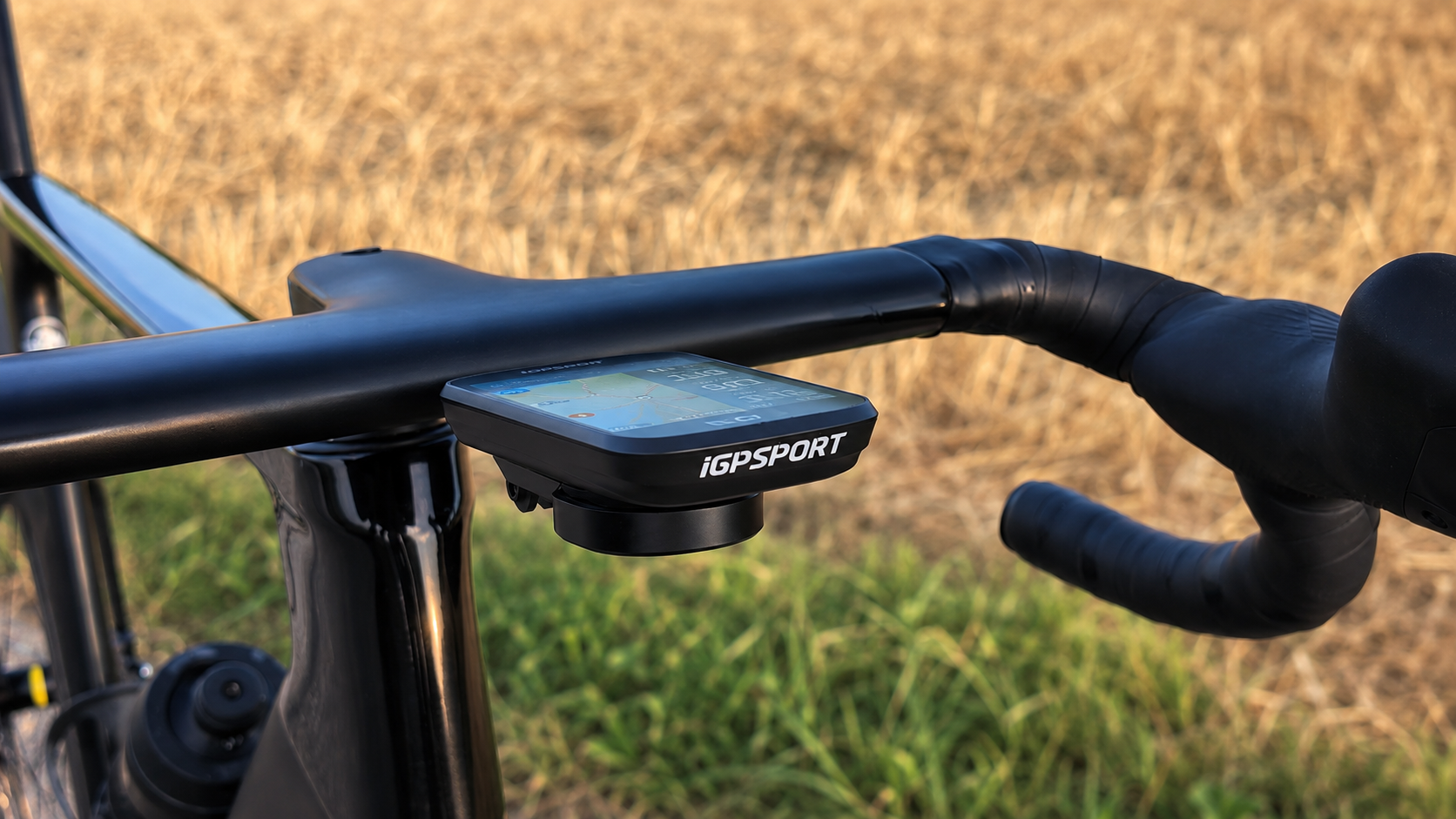
Compatibility with standard Garmin mounts is an important advantage. I did not need a new mount on my aero handlebar and could continue using the existing Garmin mount.
This saves time and avoids extra cable ties or adapters at the cockpit.
A mount may be absent depending on the package. Some buyers consider that a drawback. Anyone already owning a Garmin-compatible mount can use the BSC500 directly, however.
Music controls
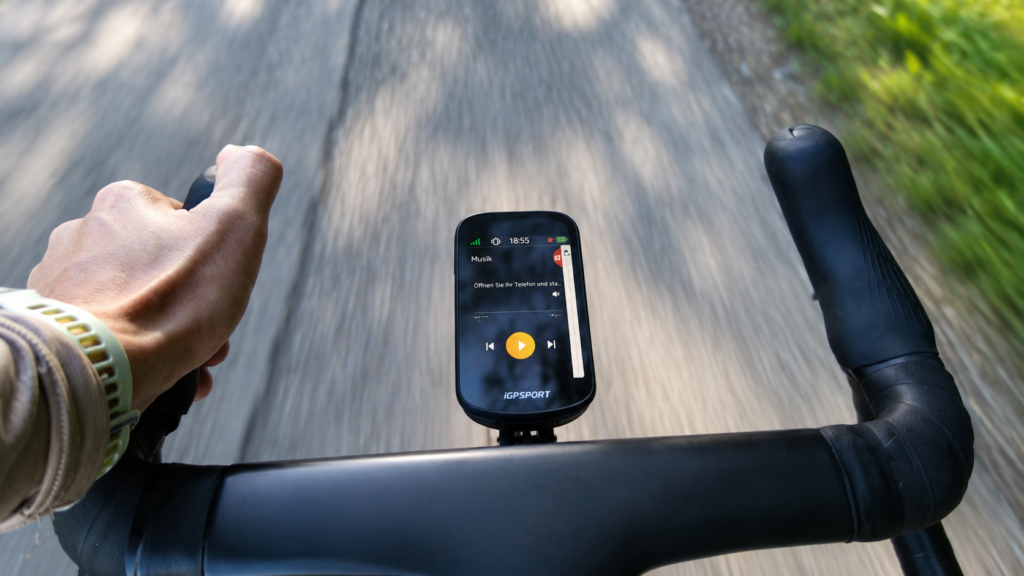
In the iGPSPORT BSC500 test, integrated music controls also proved a practical extra. The computer can start or pause playback and select the previous or next track, avoiding taking a smartphone from your pocket while riding. The interface is clear, with easily visible large buttons. However, the smartphone must be connected and music playback already started there. It is a pleasant addition on longer rides, even if not among the most important computer features for me.
Pros and Cons
-
Very good, high-contrast display
At Garmin Edge 850 level for me. -
Strong value for money
The current price is hard to beat for its feature set. -
Reliable GPS reception
The signal stayed stable in woodland too. -
Extensive sensor support
Heart rate, power meter, radar and Di2 connected easily. -
Garmin mount compatibility
An existing Garmin mount can remain in use. -
Six data fields with the map
Many important values can appear simultaneously on the navigation page. -
Good workout presentation
The target power range is clearly displayed. -
Reliable voice guidance
Navigation instructions worked without difficulty in the test. -
Automatic Strava upload
Activities transferred reliably after riding.
-
Sometimes questionable rerouting
Some suggestions involved unnecessarily large detours. -
No on-device route planning
New routes must be prepared in the app. -
No Strava Live Segments
Live segment comparisons are unsupported. -
No wind display
Wind direction and speed are absent. -
Weak weather information
Weather data is barely available or not meaningfully useful. -
Basic radar information only
Vehicle speed and distance are not displayed. -
Electronic bell too quiet
Other road users often hear it late. -
Touchscreen in rain
The usual touch-control problems occur in wet conditions.
Technical specifications and test figures
| Device type | GPS bike computer with navigation |
|---|---|
| Display | 3.3-inch colour display |
| Operation | Touchscreen and physical buttons |
| Weight in the test | 107 g |
| Satellite system | Dual-band GNSS |
| Navigation | Offline maps, turn instructions and rerouting |
| Voice guidance | Yes |
| Electronic bell | Yes |
| Sensors tested | Heart rate, power meter, radar and Shimano Di2 |
| Garmin mount compatible | Yes |
| Strava upload | Automatic after synchronisation |
| Strava Live Segments | No |
| Battery life in the test | Extrapolated to around 13 hours and 3 minutes at maximum brightness with multiple sensors |
Who is the iGPSPORT BSC500 suitable for?
The BSC500 particularly suits road cyclists seeking a large, modern GPS bike computer without paying the price of a current flagship Garmin.
It is a good choice if you:
- want a highly readable, high-contrast display,
- want navigation with offline maps and voice guidance,
- want to connect heart rate, power meter, radar or Di2,
- want structured training sessions,
- already own a Garmin-compatible mount,
- want many data fields alongside the map,
- want automatic Strava uploads.
It is less suitable if Strava Live Segments, extensive weather information, a wind display or especially detailed radar metrics matter to you. More suitable alternatives also exist for riders wanting to plan completely new routes directly on the device.
Nevertheless, the BSC500 offers a remarkably comprehensive overall package for budget-conscious recreational cyclists.
Buying decision: when is the BSC500 the right bike computer?
The iGPSPORT BSC500 is particularly interesting when you want as many features as possible for your money.
In my view, the display is at Garmin level and sometimes even looks higher in contrast. GPS, voice guidance, sensor connections, Di2 controls and Strava upload worked reliably in testing. Displaying six data fields alongside the map is also a real everyday advantage.
Weaknesses mainly lie in the details. Rerouting sometimes produced questionable detours, weather and wind data are absent, and radar presentation falls short of Garmin's possibilities. Strava Live Segments are also absent, and route planning is restricted to the app.
Anyone not needing these features who wants an affordable computer with a strong display still gets plenty for their money with the BSC500.
Rating
iGPSPORT BSC500 test verdict
The iGPSPORT BSC500 particularly impressed in the test with its excellent display, reliable GPS reception and extensive sensor support. For me, presentation quality matches the Garmin Edge 850, while the BSC500 display sometimes even looks higher in contrast.
Heart rate sensor, power meter, radar and Shimano Di2 connected easily. Automatic Strava uploads, voice guidance and Di2 hood-button controls also worked reliably. The modern design and Garmin mount compatibility complete the positive overall impression.
Significant deductions apply for sometimes poorly considered rerouting, no wind display, weak weather data and limited radar presentation. Strava Live Segments are also missing, and routes can only be planned through the app.
Around 13 hours of extrapolated battery life at maximum brightness with multiple connected sensors is entirely sufficient for everyday use and normal day rides.
At 6.5 out of 10 points, the BSC500 is not a perfect bike computer. However, bargain hunters and recreational cyclists seeking an excellent display and many features at a very attractive price should definitely consider it.
View on Amazon*
0 Comments